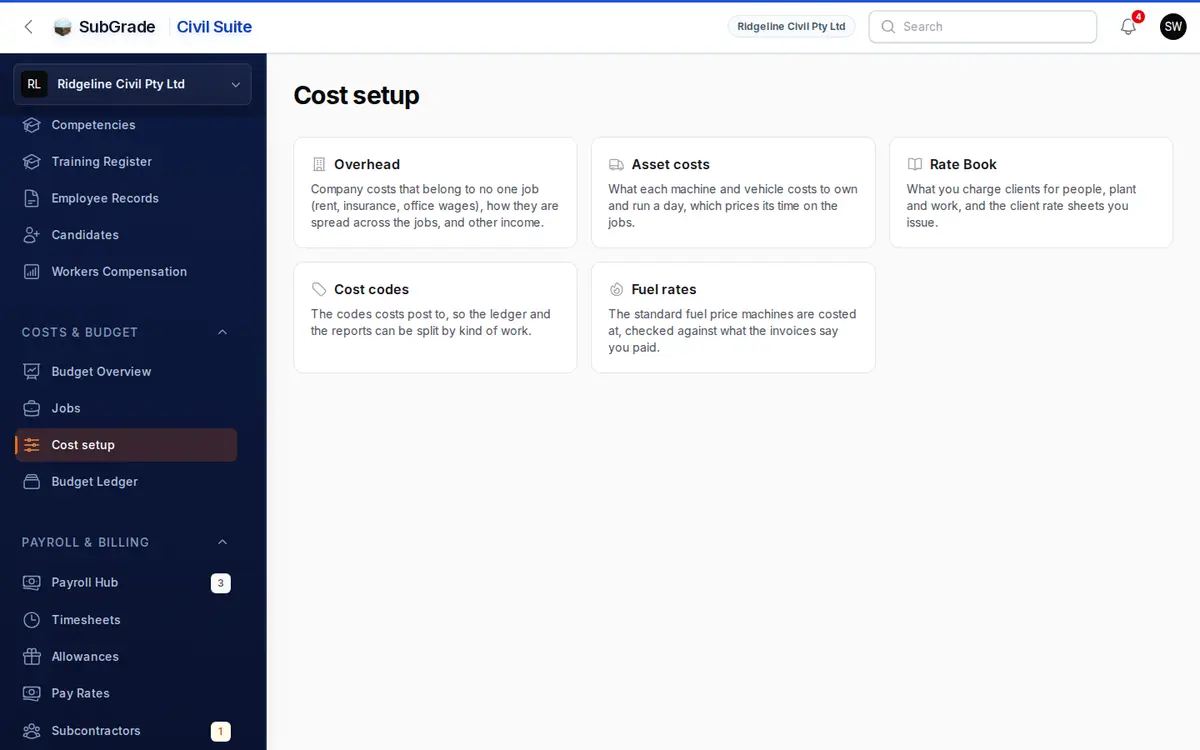
Overhead is where you tell SubGrade about costs that do not come through a timesheet or invoice, such as rent, insurance, software and office wages. Each entry is spread into a daily figure and posted to the Budget Ledger automatically. It also holds other income and your cost codes.
Who can use it — "View budget tracking" opens the page. Changing categories, entries or other income needs "manage overhead settings". Changing cost codes needs "manage cost codes". See Roles & Permissions.
Where to find it — Costs & Budget → Cost setup, then Overhead. The strip across the top of the page moves between the Cost setup sections.
How to use it
The page opens on Entries and has four tabs: Categories, Entries, Other Income and Cost Codes.
- Check your Categories. A set of defaults is created for every workspace.
- Decide for each category whether it is a company cost or a job cost.
- Add Entries against those categories.
- Record Other Income as it comes in.
Categories
Use New Category to add one. Each has:
- Name and Code — the code is short and unique, such as
OFFICE_RENT. - Where this cost belongs — the important choice:
- Company overhead is a cost of running the business, such as office rent or management salaries. It comes off company profit, and no job carries a share.
- Charged to a project is a cost of doing one job, such as site sheds or traffic control. Every entry must name its project, and the cost shows on that job's P&L.
- What kind of cost this is — Employment, Plant & fleet, Premises, Insurance, Finance, Admin & office or Unclassified. This decides where it groups on Budget Overview. It never changes the amount or where it is charged.
- Active — switch off to retire a category. Inactive categories drop out of the entry form and out of the daily calculation, even with open entries.
The list puts categories nobody has reviewed first, and shows the Cost / day for each. The Needs attention filter finds the ones to look at. That includes a project category with an entry that names no project, which stays in company overhead until you fix it.
Entries
Use New Entry to add one. Each has:
- Label — a description, such as "Head office lease".
- Category — one of your active categories.
- Project — appears, and is required, only when the category is charged to a project.
- Period Type — Daily, Weekly, Monthly, Annual, One Off or Total for a fixed period.
- Amount — in dollars, excluding GST.
- GST — closed by default for no GST. Open it to set GST rate (%) and Amount includes GST, so SubGrade can work out the net cost.
- Effective From and Effective To — a blank Effective To runs indefinitely. A One Off has no end date and counts once, on Effective From.
- Notes — optional.
How the daily figure is worked out: Weekly is divided by 7. Monthly and Annual are divided by an average month or year, based on your workspace's calendar-day or working-day setting. Daily and One Off post at face value. Total for a fixed period spreads the amount across its dates so the days add up to it exactly, which suits something like an insurance premium. A monthly or annual rate with an end date leaves a small remainder unbooked, and the form points this out.
You cannot have two entries for the same category with overlapping dates. SubGrade stops the save with "This effective date range overlaps an existing entry for the selected category." One Off entries are exempt.
An entry marked Booked by an insurance policy cannot be edited or deleted here. Change it on the policy in the Insurance Register.
Other Income
Money in that no job earned, such as plant hired out, machines sold or insurance recoveries. Without it, the company result understates the business.
Use Record income and enter What was it, Kind, Received, Amount (ex GST) and any notes. A refund of a cost does not belong here. Put it on the overhead entry it came from.
Cost Codes
The shared list used to tag costs across the ledger, not just overhead. New Cost Code takes a Code, Name, optional Parent Cost Code (two levels at most), optional Default Project and Active.
System codes are locked: you can rename the label but not the code or its grouping.
How overhead reaches the budget
Each day, SubGrade adds up every active entry that applies. Company costs post as one Overhead row with no project, under cost code OH-COMPANY. Project charges post as a row on the job. Adding, editing or deleting an entry or category recalculates the affected dates in the background, except locked periods.
The result shows on Budget Overview as company overhead, grouped by kind of cost. In the Budget Ledger, filter Type to Overhead to see the rows.
Connected pages
- Budget Overview — company overhead and other income in the company result.
- Budget Ledger — where overhead rows land.
- Pay Rates — people on pay levels. Staff excluded from payroll are carried by an overhead entry here.
- Projects — job costs, including overhead charged to a project.
Tips & common mistakes
- New workspaces start with defaults — Office / Yard Rent, Utilities, Insurance, Software & Subscriptions, Admin Wages, Finance Costs, Marketing, Workers Comp Premium, Management Salaries, Plant Registration & Fleet, and Other. Rename or deactivate them to suit.
- Keeping management pay private? Use a single entry under Management Salaries rather than individual salary levels on Pay Rates.
- A category isn't in the entry form? Check it is Active.
- Overlap error on save? You already have an entry covering those dates. Set an Effective To on the old one.
- An insurance entry won't open for editing? It is booked by a policy.
- A One Off only appears on one day. That is expected.